What’s New in QA Assistant Studio MAX: From APQP to PPAP
Quality work depends on details—and on how easily those details move between people. A project deadline, a revised control plan, a supplier’s drawing, and the evidence behind a PPAP submission all need to stay understandable and accessible as work progresses.
Over the past two years, QA Assistant Studio MAX has introduced new features and practical improvements across that workflow. From more flexible project dashboards to controlled PPAP submission packages, these updates help teams see what needs attention, understand changes, and share information with greater clarity.
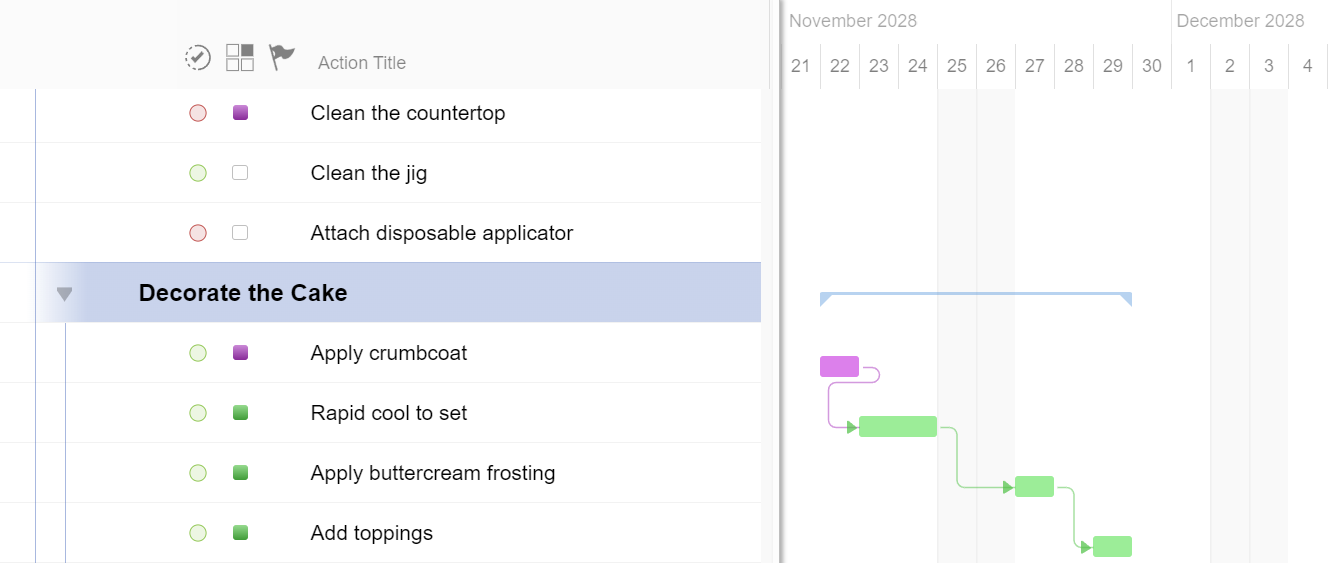
Planning starts with a workspace that fits the way you work. The updated personal dashboard brings together an integrated calendar, progress across your liked projects, and customizable widgets. In Project Assistant, you can rearrange and resize dashboard panels and explore actions and tasks in an interactive Gantt view. That gives teams another way to review schedules and responsibilities as projects develop.
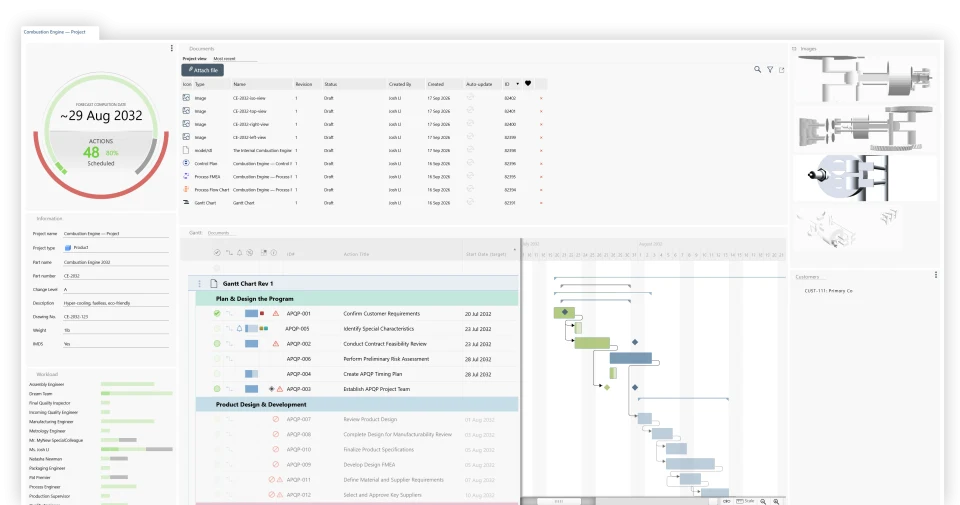
For recurring work, reusable Gantt templates make it easier to build on an established plan. Copy and insert rows from an existing Gantt document, including their customized columns, to carry a useful task structure into the next project. Secure ICS calendar feeds also bring tasks, actions, and deadlines into compatible calendars such as Outlook, Google Calendar, and Apple Calendar, helping keep quality activities visible alongside the rest of the working day.
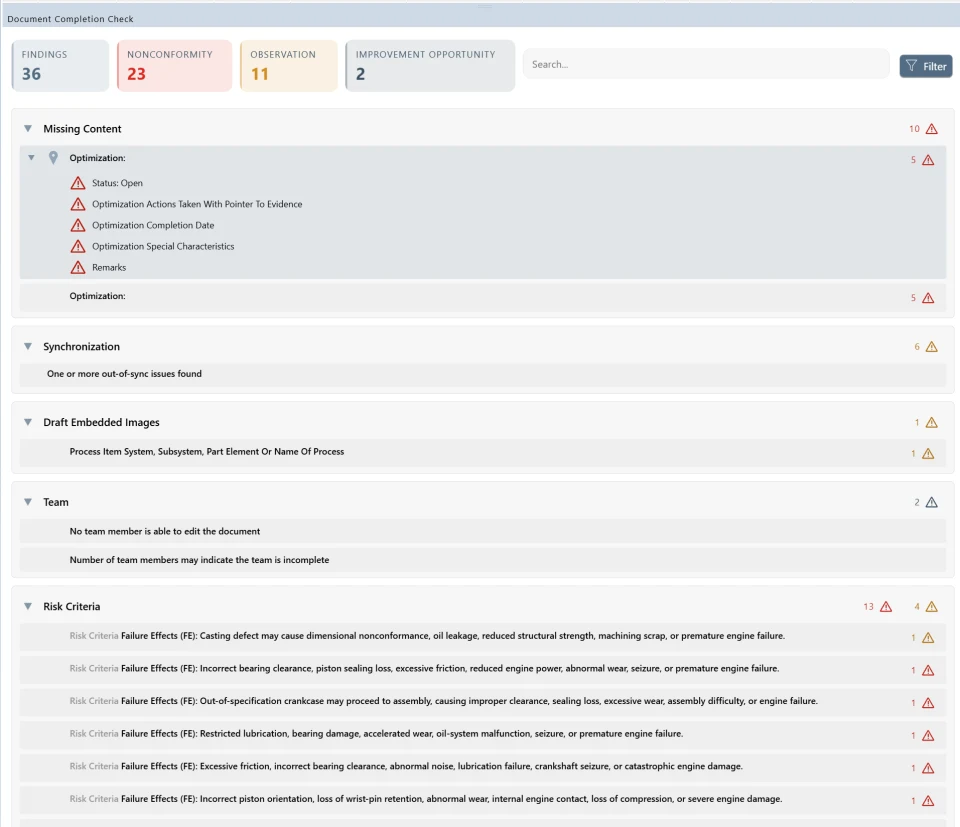
Document review has become more informative, too. The redesigned Completion Check combines filtering, search, and interactive statistics to help you locate gaps in larger documents. Column-header tooltips provide definitions where you are working, while multiple comments on document fields preserve each contributor’s name and date. Together, these improvements make it easier to find an issue and keep the discussion beside the information it concerns.
When a document changes, the context matters. An interactive revision summary brings together revision numbers, finalization dates, reasons for revision, change counts, and approval status. The refreshed Document History groups activity by version and adds search across revisions. Permission-based comments on history entries provide a place to explain why an update was made—useful context for the next review or handover.
Common revision actions are also closer at hand. Clicking the revision number in a document tab opens options to finalize, send for approval, create a new draft, or open another version. You can rename a document directly in its tab, and updated expiration controls make reminder dates, recipients, and statuses easier to review. Status-based notification settings help keep reminders relevant to the documents your team is actively managing.
FMEA and control plan work has received focused attention. Updates include an AIAG Control Plan 1st Edition header with a Safe Launch checkbox and revised GM Risk Priority Level handling for conditions requiring an “S” designation. The redesigned Criticality Matrix and custom risk criteria interfaces add clearer organization, drag-and-drop controls, and responsive previews, helping teams review and maintain their assessment settings.
Visual information now has a more natural place in those documents. Drag and drop controlled images into cells alongside text in FMEAs, control plans, process flows, and other documents. A defect photo or process illustration can sit beside the description it supports. Built-in cropping and rotation preserve the original image, allowing you to refine its presentation as the document evolves.
Engineering file support has expanded as well. Teams can upload and manage a broader range of CAD, manufacturing, inspection, and related technical files. For supported preview formats—including PDF, SVG, STL, DXF, GLB, and self-contained glTF—files can be viewed directly in the document workspace.
Those previews also support visual review tools, including pins, notes, saved views, shapes, text overlays, and approximate visual measurements. Markups are stored separately from the uploaded file, keeping the original controlled file unchanged while giving reviewers a shared place to point out details.
Reporting improvements make information easier to arrange and share. Custom Reports now support drag-and-drop column organization, continuous loading as you scroll, and larger graph previews. Excel exports include Andon background colors in risk-ranking fields and improved header sizing, helping recipients read the exported information with less formatting work.
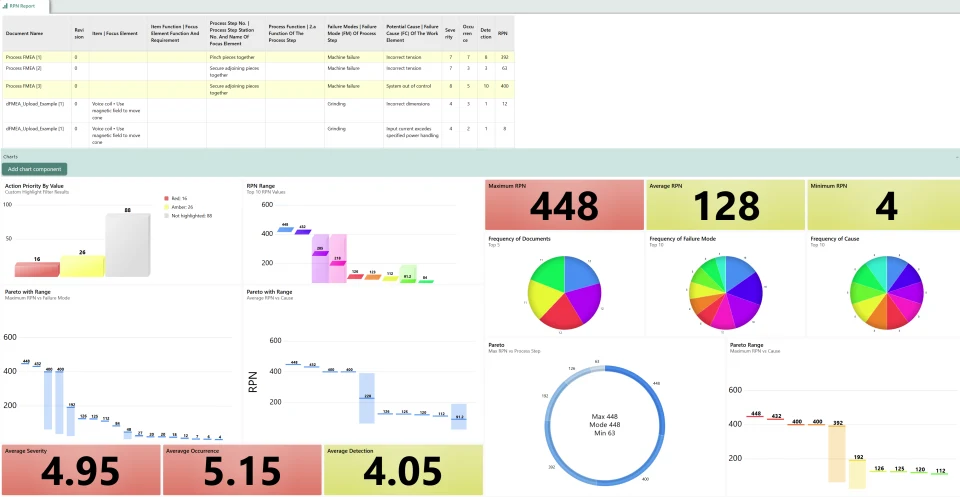
Collaboration extends beyond the internal team. The Guest & Approver Dashboard provides a scoped, read-only view of selected documents, tasks, and progress through a secure link. Customers, suppliers, and auditors can see relevant updates within the access you provide. For administrators, refreshed user controls add clearer filtering, search, and a tool for copying document-level permissions from an existing user.
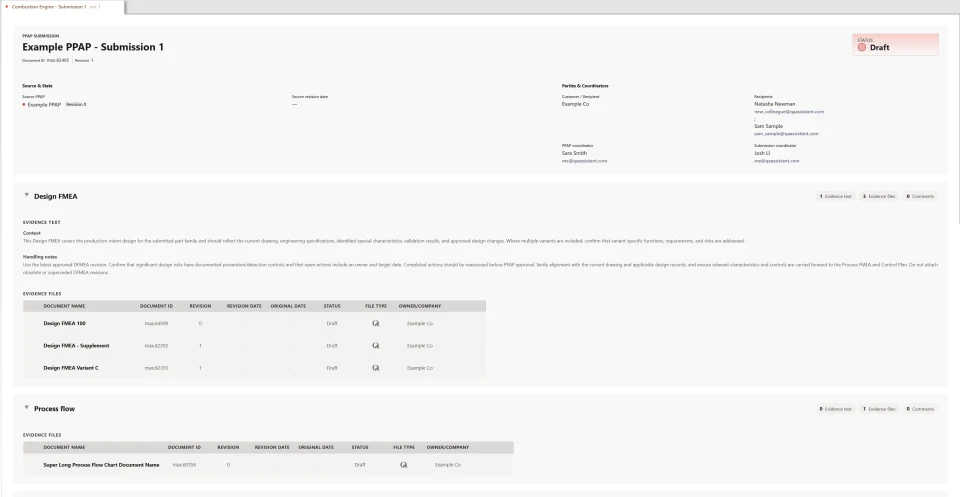
The new PPAP module brings another important part of the quality workflow into the workspace. Structured sections, linked supporting documents, readiness tracking, and revision control help teams organize the evidence behind a submission. Submission manifests, recipient access controls, and controlled package downloads support the next step: sharing that package with its intended recipients.
Some of these changes introduce new ways to work. Others make familiar tasks easier to complete. Their shared purpose is practical: help quality teams spend less effort finding information, explaining changes, and preparing handovers—and more time moving the work forward.
Explore the QA Assistant Studio MAX features or take the Product Tour to see how these capabilities fit your team’s workflow.